
Digital Signage for Education and Schools
A strategic guide to improving communication, student engagement, campus safety and operational efficiency through digital signage for education.

Introduction to Digital Signage for Education
Digital Signage for Education refers to centrally managed display systems that schools, colleges, and universities use to communicate information across campus environments. Administrators publish announcements, timetables, alerts, achievements, and learning content through strategically placed digital screens.
Schools operate in fast moving environments. Timetables change, events shift, and safety messages require instant visibility. Therefore, static noticeboards and printed posters limit responsiveness. Digital School Signs allow administrators to update information instantly across single campuses or multi site trusts.
Operationally, digital signage reduces manual workload. Strategically, it strengthens brand identity, student engagement, and safeguarding compliance. Principals, IT managers, facilities teams, and communications leads all benefit from improved control and visibility.
Educational institutions deploy Digital Signage for Schools and Education to streamline internal communication, support learning environments, improve way finding, and reinforce community culture. As a result, campuses become more connected, informed, and agile.
What Problems Digital Displays Solve in Education
Schools face fragmented communication. Emails go unread, paper notices become outdated, and students overlook bulletin boards. Consequently, information gaps emerge.
Digital Signage for Education solves this by centralising communication. Staff update content in real time, ensuring accuracy and consistency. This reduces confusion around timetable changes, exam locations, or event logistics.
Safeguarding also improves. Administrators push instant emergency notifications across all screens during lockdowns or severe weather events. Additionally, digital displays reinforce behavioural standards and attendance messaging.
From a teaching perspective, Interactive TVs and collaborative screens increase student participation. Teachers display multimedia content, annotate live lessons, and adapt materials dynamically. This supports diverse learning styles and improves classroom engagement.
Moreover, printed posters create recurring costs and environmental waste. Digital displays eliminate reprinting expenses while supporting sustainability initiatives.
Digital Display Technologies For Schools and Universities
Cloud Based Content Management Systems
Modern Digital Signage for Education platforms rely on secure, cloud based content management systems that give administrators full control over messaging across single or multi site campuses. Communications teams schedule announcements, automate timetable feeds, and segment content by screen group, building, or audience.
Role based permissions protect governance standards. For example, trust level administrators maintain oversight, while individual schools publish local updates. Additionally, audit trails improve accountability and safeguarding compliance.
Interactive Touch Displays and Classroom Collaboration Technology
Interactive Screens for Schools and Interactive TVs support lesson delivery, annotation, hybrid learning, and real time collaboration. Teachers connect laptops, cloud platforms, and visualisers directly to displays, allowing seamless transitions between content types.
Multi touch capability encourages group participation. Screen recording functions support revision and remote access. As a result, educators move beyond static presentation and create dynamic learning environments.
Commercial Grade LED and LCD Display Hardware
Educational environments demand durability and consistent performance. Commercial grade LCD and LED displays operate for extended daily hours without degradation in brightness or image quality.
High brightness panels maintain visibility in sunlit receptions and outdoor facing areas. Protective enclosures increase resilience in high traffic corridors. Furthermore, energy efficient panels reduce long term operational costs.
Media Players and System on Chip Technology
Schools deploy either external media players or integrated system on chip displays to power content playback. IT teams select configurations based on network architecture, security policies, and scalability requirements.
Centralised device monitoring allows remote diagnostics, firmware updates, and performance tracking. Therefore, IT departments maintain uptime without increasing onsite workload.
Network Infrastructure and Security Architecture
Reliable digital signage depends on robust wired or wireless infrastructure. IT teams segment networks to protect student data while maintaining content delivery performance.
Encryption, secure login protocols, and firewall policies ensure compliance with school safeguarding standards. Moreover, bandwidth management prevents signage traffic from disrupting teaching resources.
Integration and Data Connectivity
Advanced Digital Signage for Schools and Education integrates with Management Information Systems, room booking platforms, calendar feeds, emergency alert systems, and visitor management tools.
Automation reduces manual updates and improves accuracy. For example, timetable changes update automatically across corridor displays. Similarly, safeguarding alerts trigger immediate full screen notifications.
Analytics and Performance Monitoring
Modern platforms provide usage data, screen uptime reporting, and content performance insights. Administrators analyse engagement patterns and optimise messaging accordingly.
This data driven approach supports measurable ROI evaluation and continuous improvement across multi campus environments.
Suggested internal link: Digital Signage Analytics
Together, these technologies form a scalable ecosystem that supports operational efficiency, safeguarding responsiveness, educational engagement, and long term adaptability across schools and higher education institutions.
Where Digital Signage for Education Are Used
Digital Displays are used in educational institutions and schools for :
- school receptions
- main entrances
- corridors
- cafeterias
- sports halls
- libraries
- staff rooms
- lecture theatres
- campus outdoor signage boards
- administrative offices
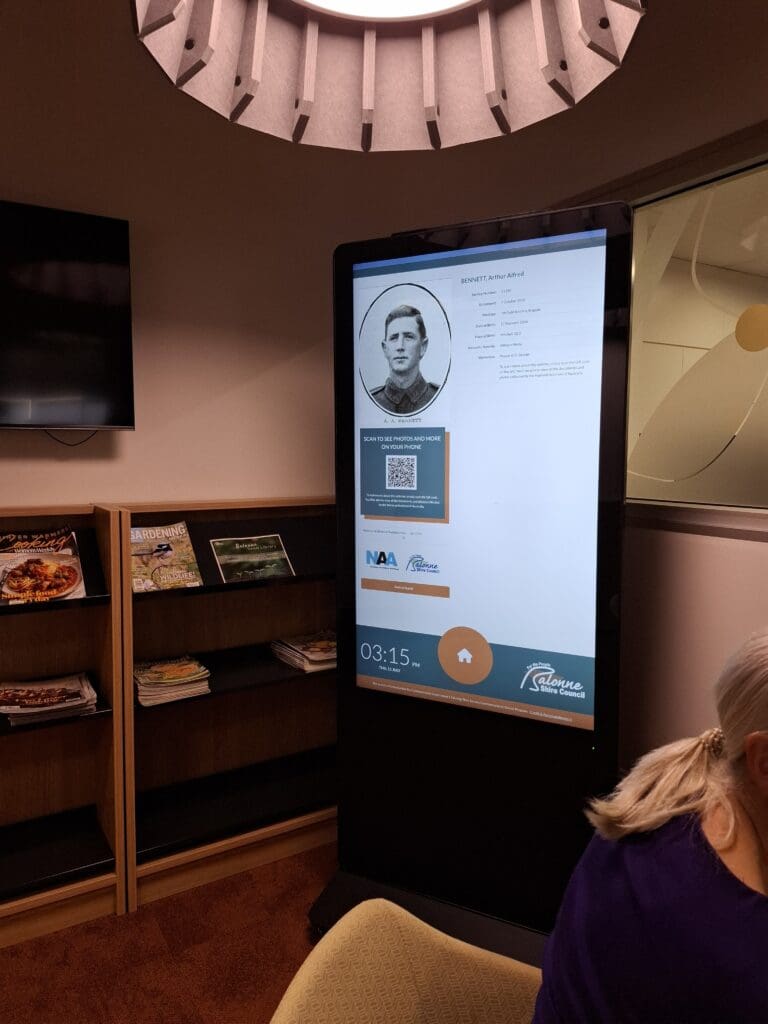
Usage varies by context. For example, reception displays welcome visitors and showcase achievements. Likewise, corridor screens communicate daily updates and behavioural reminders. Interactive screens inside classrooms support collaborative learning. Meanwhile, outdoor Digital School Signs broadcast urgent announcements, event promotions, or safeguarding notices to parents and visitors.
Universities often deploy larger networks across faculties. In contrast, primary schools prioritise safeguarding messages and community storytelling. Therefore, deployment scale and content strategy depend on institutional size, governance structure, and communication priorities.
Business Impact, ROI and Measurable Outcomes
Cost Control
Schools reduce print and distribution costs immediately. Over time, digital signage lowers administrative labour associated with manual updates. Multi site trusts achieve further savings through centralised content control.
Revenue Influence
Independent schools and universities strengthen brand perception through professional campus presentation. This supports recruitment, open day engagement, and student retention. Furthermore, institutions promote extracurricular programmes and paid events more effectively.
Efficiency Gains
Administrators update all screens from a single platform. Therefore, communication time reduces significantly. IT teams monitor networks remotely, minimising site visits.
Performance Indicators
Schools measure success using:
• Reduction in printed materials
• Faster message deployment time
• Attendance improvement linked to behavioural messaging
• Event participation increases
• Student engagement metrics in classrooms
• Visitor satisfaction feedback
Financially, institutions evaluate total cost of ownership against multi year print, labour, and communication inefficiencies.

Campus Wide Announcements
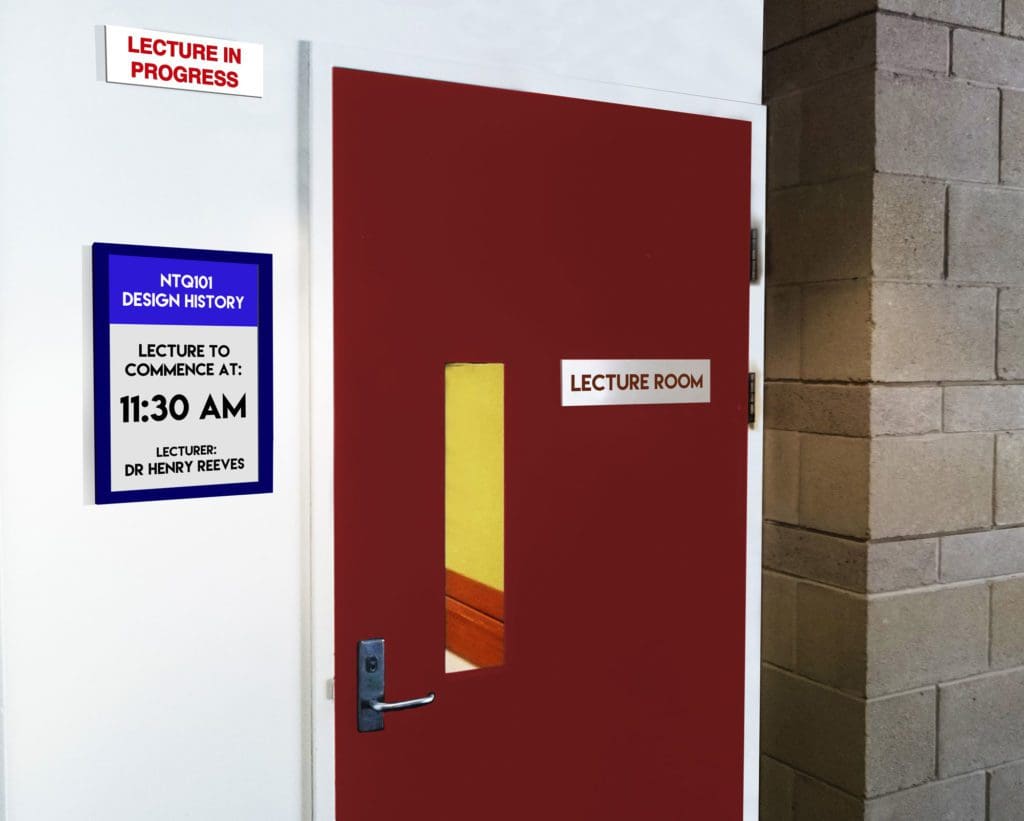
Schools use Digital School Signs to broadcast daily notices, lunch menus, timetable changes, and exam reminders. This ensures consistent communication across year groups.
Operational outcome: Reduced confusion and fewer administrative queries.
User experience outcome: Students stay informed without searching for information.
Emergency and Safeguarding Alerts
Administrators trigger instant notifications during critical incidents. Screens display clear instructions campus wide.
Operational outcome: Faster coordinated response.
User experience outcome: Increased sense of safety.
Interactive Classroom Learning
Teachers deploy Interactive Screens for Schools to deliver multimedia lessons, annotate materials, and encourage student participation.
Operational outcome: More dynamic teaching delivery.
User experience outcome: Higher engagement and collaborative learning.
Way finding and Visitor Management
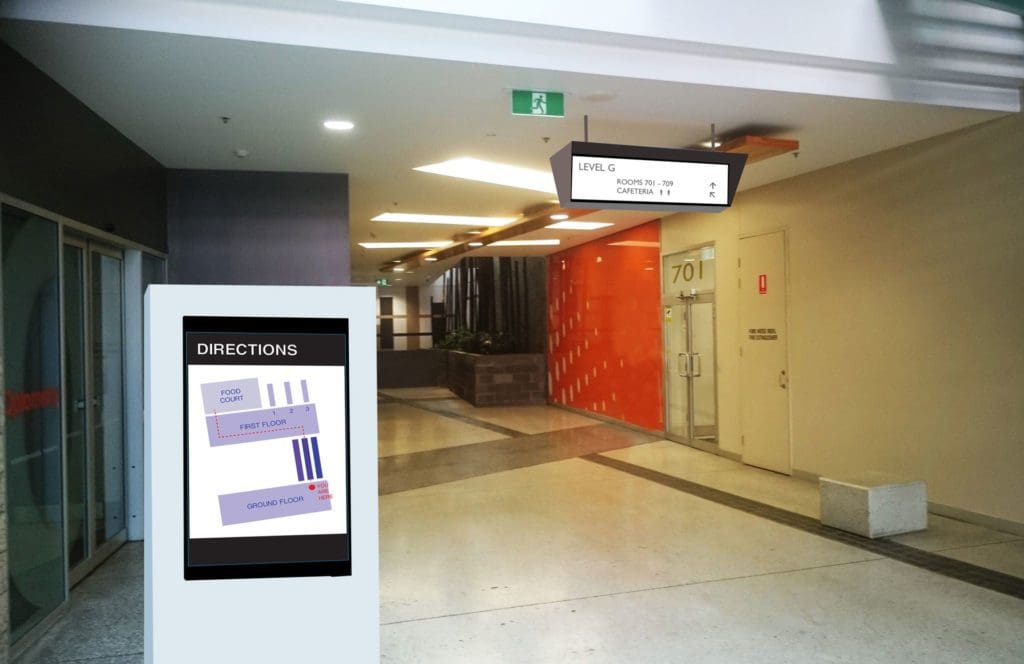
Larger campuses deploy digital directories and maps.
Operational outcome: Reduced staff interruptions.
User experience outcome: Visitors navigate confidently.
Community and Achievement Displays
Schools highlight student accomplishments, sports victories, and community initiatives.
Operational outcome: Stronger school culture.
User experience outcome: Increased pride and belonging.
Key Considerations When Choosing Digital Display Solution for Education
Key considerations to consider when selecting digital displays for Schools, Universities and other educational institutions:
Environment Fit
Evaluate brightness levels, screen durability, and mounting safety for high traffic school environments.
Operational Workflow Impact
Ensure administrators can update content quickly without specialist technical skills.
Content Control and Governance
Define user permissions clearly. Multi academy trusts require central oversight with local flexibility.
Integration Needs
Confirm compatibility with MIS, calendars, safeguarding alerts, and network policies.
Reliability
Educational environments demand high uptime. Choose commercial grade hardware and robust remote monitoring.
Scalability
Plan for future expansion across additional buildings or campuses.
Long Term Ownership
Assess total lifecycle cost including hardware longevity, licensing, maintenance, and support.
How Organisations Use These Solutions Effectively

Successful schools begin with a communication strategy. They define content categories, publishing frequency, and tone of voice.
Next, leadership assigns governance responsibility. Communications teams manage messaging, while IT teams maintain infrastructure.
During implementation, teams phase deployment. They prioritise high impact areas such as reception and main corridors before expanding to classrooms.
Schools track measurable outcomes. For example, they monitor engagement rates, attendance data, and administrative workload reduction.
Common mistakes include overcrowding screens with text, failing to update content regularly, and neglecting training. Therefore, institutions should establish clear content standards and review cycles.

Why Choose MetroSpec's Digital Display Solutions for Education
MetroSpec supports educational institutions with application focused expertise. The team assesses campus layout, communication objectives, safeguarding requirements, and IT constraints before recommending solutions.
Rather than promoting products, MetroSpec develops scalable digital signage ecosystems aligned to governance structures and operational workflows. Schools gain long term adaptability, consistent branding, and measurable performance improvement.
Frequently Asked Questions
How much does Digital Signage for Education cost?
Costs vary depending on screen quantity, interactivity, mounting requirements, and network infrastructure. Schools should evaluate total cost of ownership over five to seven years rather than focusing only on initial hardware expenditure.
Is Digital Signage suitable for primary schools?
Yes. Primary schools benefit from safeguarding alerts, parent communication, and celebration displays. However, content design must remain age-appropriate and visually clear.
Can Digital Signage integrate with school management systems?
Most platforms integrate with MIS software, calendar systems, and emergency alert tools. Always confirm compatibility before procurement.
Who manages Digital Signage day to day?
Communications teams typically manage content. IT departments oversee infrastructure and security. Clear governance ensures accountability.
Do Interactive Screens replace traditional whiteboards?
Interactive Screens for Schools often replace legacy whiteboards. Teachers benefit from multimedia functionality, cloud integration, and lesson recording capabilities.
Request a Digital Display Consultation
Digital Signage for Education strengthens communication, enhances student engagement, improves safeguarding responsiveness, and reduces operational inefficiencies.
When institutions align technology with governance, content strategy, and measurable objectives, digital signage becomes a strategic asset rather than a simple display system.
Schools evaluating this application should assess communication gaps, operational challenges, and long term scalability needs before implementation.